Introduction
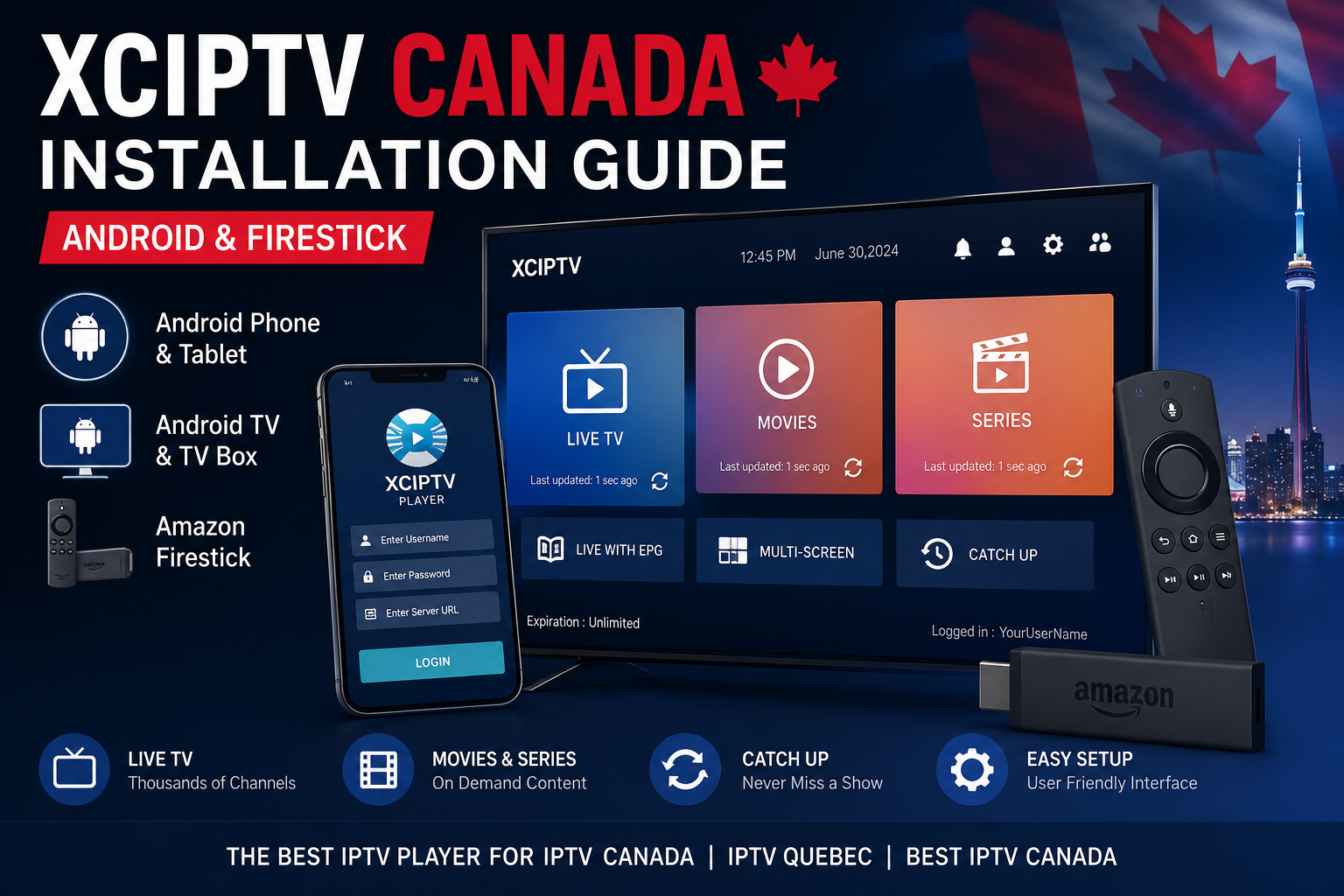
If you’re looking for one of the easiest ways to enjoy IPTV Canada, XCIPTV is one of the best IPTV players available today. It offers a modern interface, fast performance, and compatibility with Android devices, Firestick, Android TV, and TV Boxes.
Whether you’ve purchased an IPTV subscription Canada or you’re searching for the best IPTV Canada experience, XCIPTV makes streaming live TV, movies, and sports simple. Unlike IPTV providers, XCIPTV canada is only a media player, meaning you’ll need login credentials from your service IPTV Canada provider before you can start watching.
In this guide, you’ll learn how to install XCIPTV on Android and Amazon Firestick, configure your IPTV account, and solve the most common issues.
What Is XCIPTV?
XCIPTV is a professional IPTV player designed for Android-based devices. It supports Xtream Codes API and M3U playlists, making it compatible with nearly every IPTV Canada provider.
Some of its most popular features include:
- Modern and user-friendly interface
- Electronic Program Guide (EPG)
- Catch-Up TV support
- Built-in media player
- External player compatibility
- Fast channel switching
- Video on Demand (VOD)
- Multi-screen support
If you already have an IPTV from Canada subscription, XCIPTV can organize your channels into a clean and easy-to-use interface.
Devices Compatible with XCIPTV
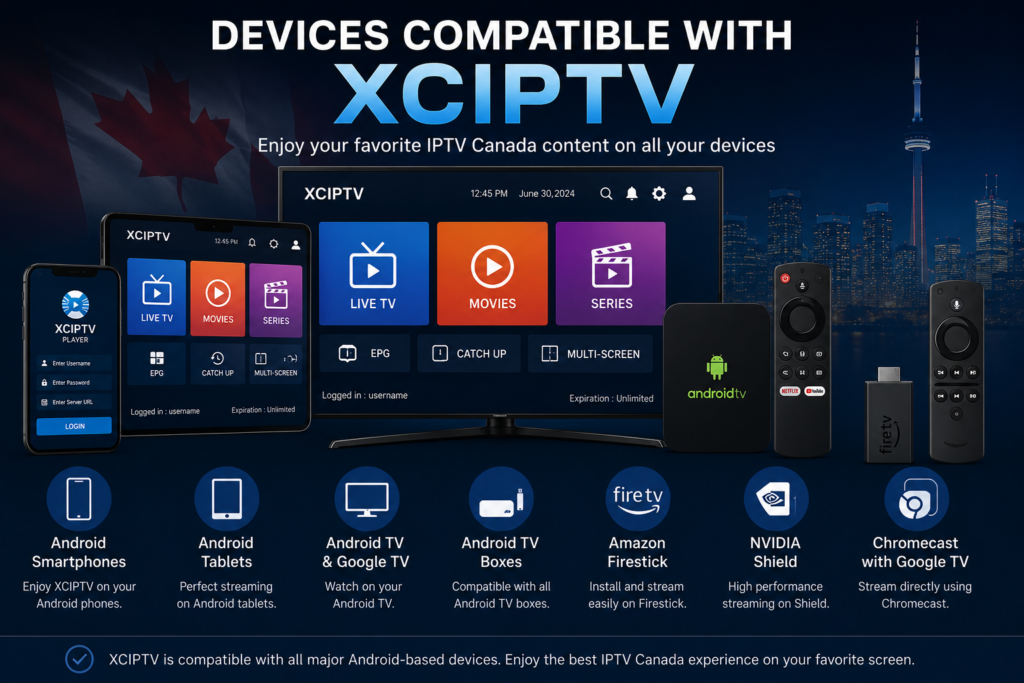
One reason XCIPTV has become popular among IPTV Quebec and Canadian users is its wide compatibility.
It works perfectly on:
- Android smartphones
- Android tablets
- Android TV
- Google TV
- Amazon Firestick
- Fire TV Cube
- NVIDIA Shield
- Chromecast with Google TV
- Android TV Boxes
This flexibility makes it an excellent choice for families looking for the best IPTV Canada setup across multiple devices.
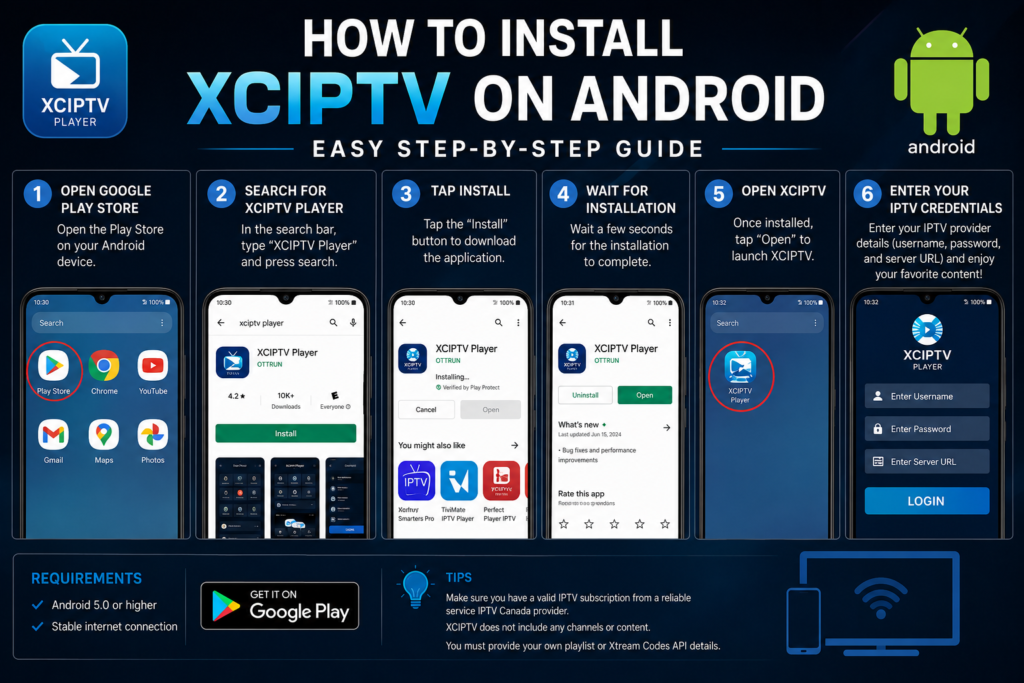
How to Install XCIPTV on Android
Installing XCIPTV on Android only takes a few minutes.
Step 1
- Open the Google Play Store.
Step 2
- Search for XCIPTV Player.
Step 3
Tap Install.
Step 4
Wait for the application to finish downloading.
Step 5
Open XCIPTV.
Step 6
Enter the login details provided by your IPTV subscription Canada provider.
Most providers will give you:
- Username
- Password
- Server URL
After signing in, your live TV channels, movies, and series will automatically load.
How to Install XCIPTV on Firestick
Firestick users need to sideload the application because XCIPTV is not always available through the Amazon Appstore.
Enable Unknown Sources
Go to:
Settings → My Fire TV → Developer Options
Enable:
- Apps from Unknown Sources
Install Downloader
Download the Downloader application from the Amazon Appstore.
Download XCIPTV
Open Downloader and enter the download URL supplied by your service IPTV Canada provider or the official XCIPTV APK source.
After installation:
- Open XCIPTV
- Enter your IPTV credentials
- Wait for channels to load
Your Firestick is now ready for streaming.
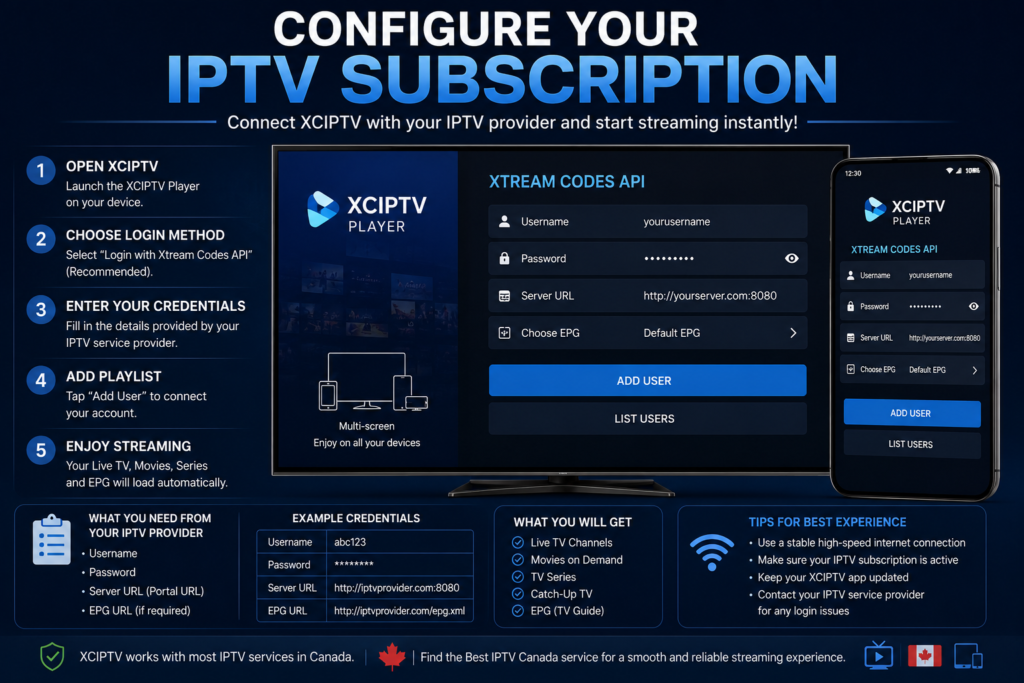
Configure Your IPTV Subscription
Once XCIPTV is installed, configuration is very simple.
Enter:
| Information | Example |
|---|---|
| Username | Provided by IPTV provider |
| Password | Provided by IPTV provider |
| Server URL | Provider Portal URL |
After logging in, XCIPTV will automatically download:
- Live TV
- Movies
- Series
- TV Guide (EPG)
Users with a premium IPTV Canada service usually receive thousands of channels and extensive VOD libraries.
Best XCIPTV Settings
For smoother streaming, consider these settings:
- Enable Hardware Decoder
- Turn on Auto Frame Rate
- Activate EPG Auto Update
- Clear Cache periodically
- Use a stable internet connection
- Restart the app once a week
These adjustments improve stability, especially when watching live sports.
Common XCIPTV Problems
Buffering
Usually caused by:
- Slow internet
- Busy IPTV server
- Weak Wi-Fi signal
Login Failed
Verify:
- Username
- Password
- Portal URL
Channels Not Loading
Refresh the playlist or contact your IPTV subscription Canada provider.
No EPG
Update the TV Guide inside the application settings.
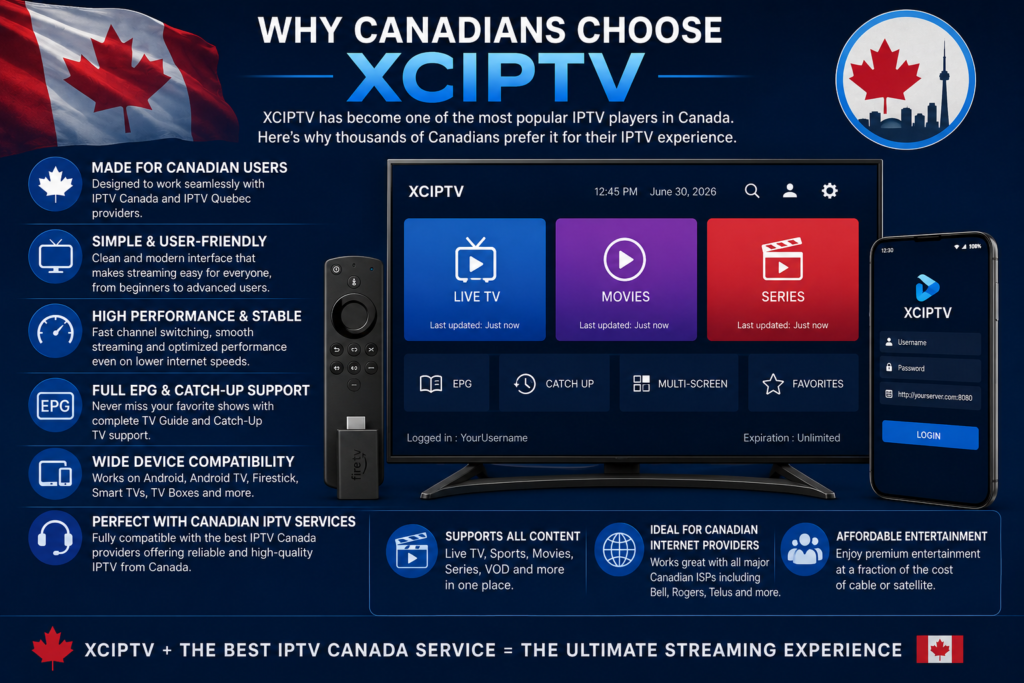
Why Canadians Choose XCIPTV
Many users searching for IPTV Quebec and IPTV from Canada prefer XCIPTV because it is lightweight, responsive, and easy to configure. It works well with most modern Android devices and provides a clean viewing experience without unnecessary complexity.
Combined with a reliable service IPTV Canada, XCIPTV delivers excellent performance for live TV, sports, movies, and on-demand content.
Frequently Asked Questions
Is XCIPTV free?
Yes. XCIPTV is a free IPTV player, but you still need an IPTV subscription.
Does XCIPTV include TV channels?
No. The application does not provide channels. Your IPTV provider supplies the content.
Can I use XCIPTV on Firestick?
Yes. Firestick is one of the most popular devices for XCIPTV.
Is XCIPTV compatible with IPTV Canada providers?
Yes. Most Canadian IPTV providers support Xtream Codes API and M3U playlists.
Conclusion
XCIPTV remains one of the best IPTV players available for Android and Firestick in 2026. Whether you’re using IPTV Canada, IPTV Quebec, or another IPTV subscription Canada, the app offers a simple installation process, fast performance, and excellent compatibility with modern streaming devices.
To get the best experience, pair XCIPTV with a reliable service IPTV Canada, keep the app updated, and use a stable internet connection. With the right setup, you’ll enjoy smooth streaming of live TV, movies, sports, and on-demand content on all your favorite devices.
📌 Section – Best IPTV Apps for Canada in 2026
Related Guides
Explore More IPTV App Guides
Want to learn more before choosing your IPTV player? Read our in-depth guides on TiviMate Review: Is It the Best IPTV Player in Canada? to discover its features and performance, or follow our IPTV Smarters Pro Setup Guide for Canadian Users for a complete installation tutorial on Android, Firestick, and Smart TVs.
📌 Section – IPTV Smarters Pro Setup Guide for Canadian Users
Related Articles
Discover More IPTV Apps
If you’re still comparing IPTV players, check out our Best IPTV Apps for Canada in 2026 to see the top options available. You can also read our TiviMate Review: Is It the Best IPTV Player in Canada? to compare IPTV Smarters Pro with one of the most popular IPTV applications.
📌 Section – TiviMate Review: Is It the Best IPTV Player in Canada?
You May Also Like
Continue Reading
Looking for more IPTV app recommendations? Explore our Best IPTV Apps for Canada in 2026 for a complete comparison of the leading IPTV players. If you’re interested in another popular option, follow our IPTV Smarters Pro Setup Guide for Canadian Users to learn how to install and configure IPTV Smarters on your devices.